
 Upgrade
It saves as you type
A note is written to your browser less than a second after you stop typing, and again if you switch tabs. You can close the page and come back tomorrow. Your notes will still be there.
Pick one from the list, start a new one, or drop a Markdown, Word or PDF file anywhere on this page to bring it in.
Open the page and start typing. This online notepad saves as you write, keeps every note in your own browser, and gives you the formatting of a word processor. There's no account to make and no limit on how many notes you keep. If you want your notes on another device, you can switch on syncing, and each note is encrypted before it leaves your browser.
A note is written to your browser less than a second after you stop typing, and again if you switch tabs. You can close the page and come back tomorrow. Your notes will still be there.
Headings, lists, checklists, tables, links, images, colour and more than 40 fonts. If you only want plain text, ignore the toolbar and type. Paste from a website and the layout comes with you, but the site's own styling doesn't.
Your notes live in a database inside your browser on this device. Nothing you type is sent to us, and no AI reads it. Downloads to Word and PDF are made in the browser too.
It works the way a paper notepad does. You open it and write. Everything else is there for when you want it.
Press New note, or the round + button on a phone. Type a title, press Enter, and write the note underneath. You can also pick Start from a template for meeting notes, a lecture, a trip plan or one of 19 others.
There's no save step. The line under the note shows the word count, the character count and roughly how long it takes to read. Type - for a list, ## for a heading or [] for a checklist.
Put notes in notebooks, add tags under any note, and star or pin the ones you use most. The search box looks through titles, note text and tags as you type.
Press Save to download the note as Word, PDF, Markdown, plain text or a web page, or to print it. Backup puts every note into one file you can keep in your own cloud drive.
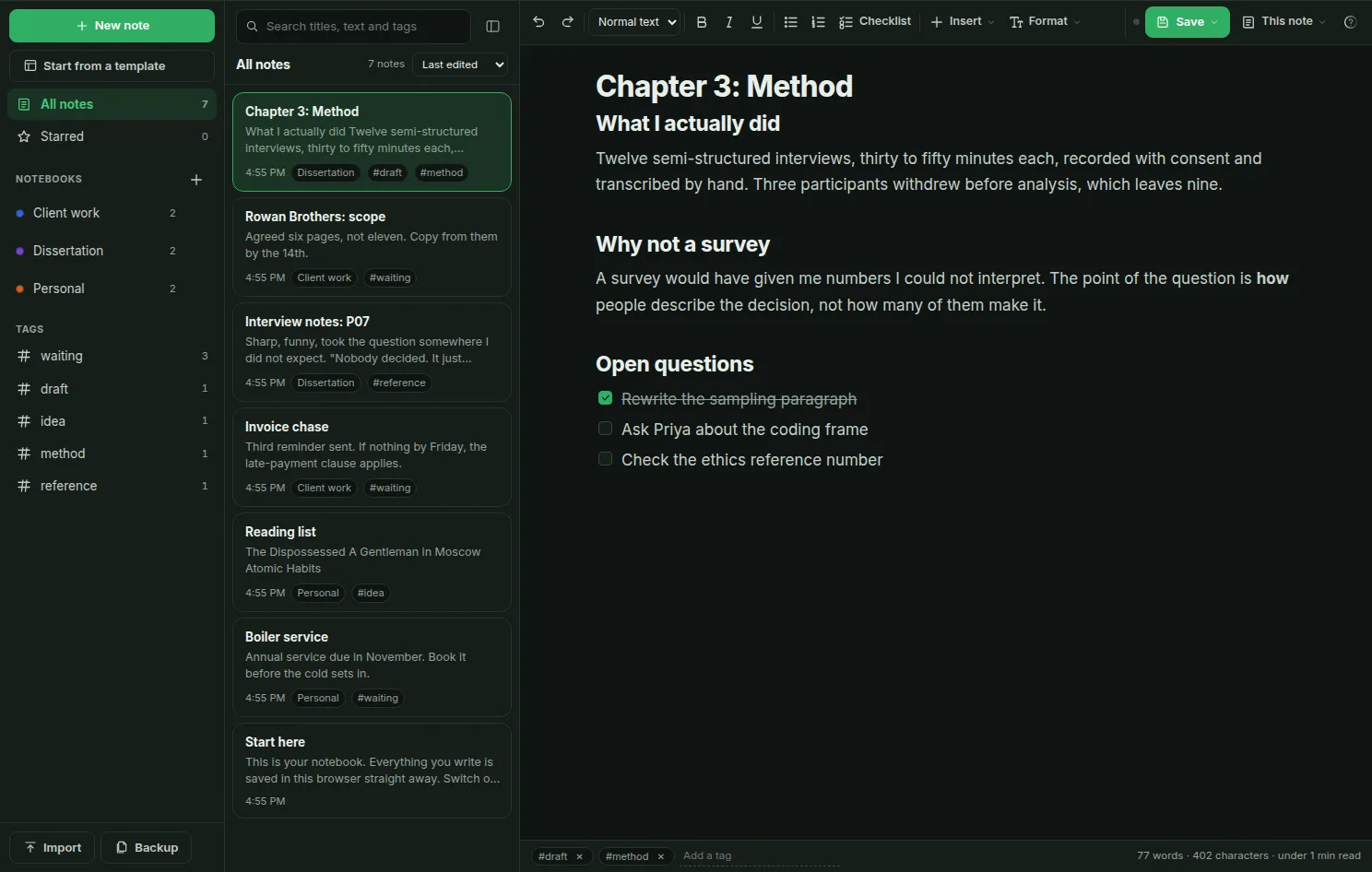
Notebooks and tags sit on the left, your notes in the middle and the open note on the right. You don't have to set anything up first.
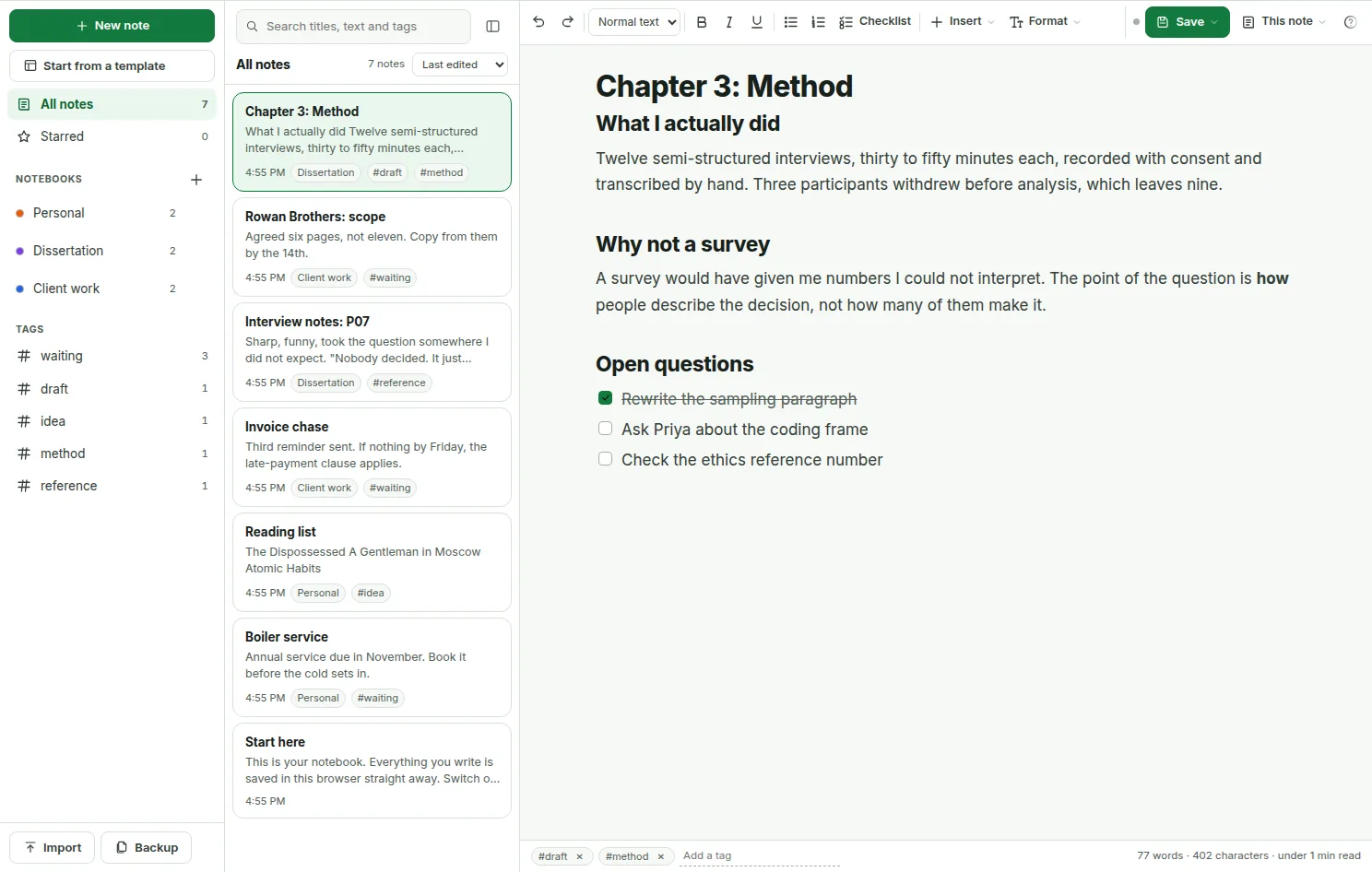
Open This note and pick Look and feel. What you choose applies to the note you have open, so a wide code scratchpad and a narrow essay can sit side by side. A separate button makes your choice the default for new notes.
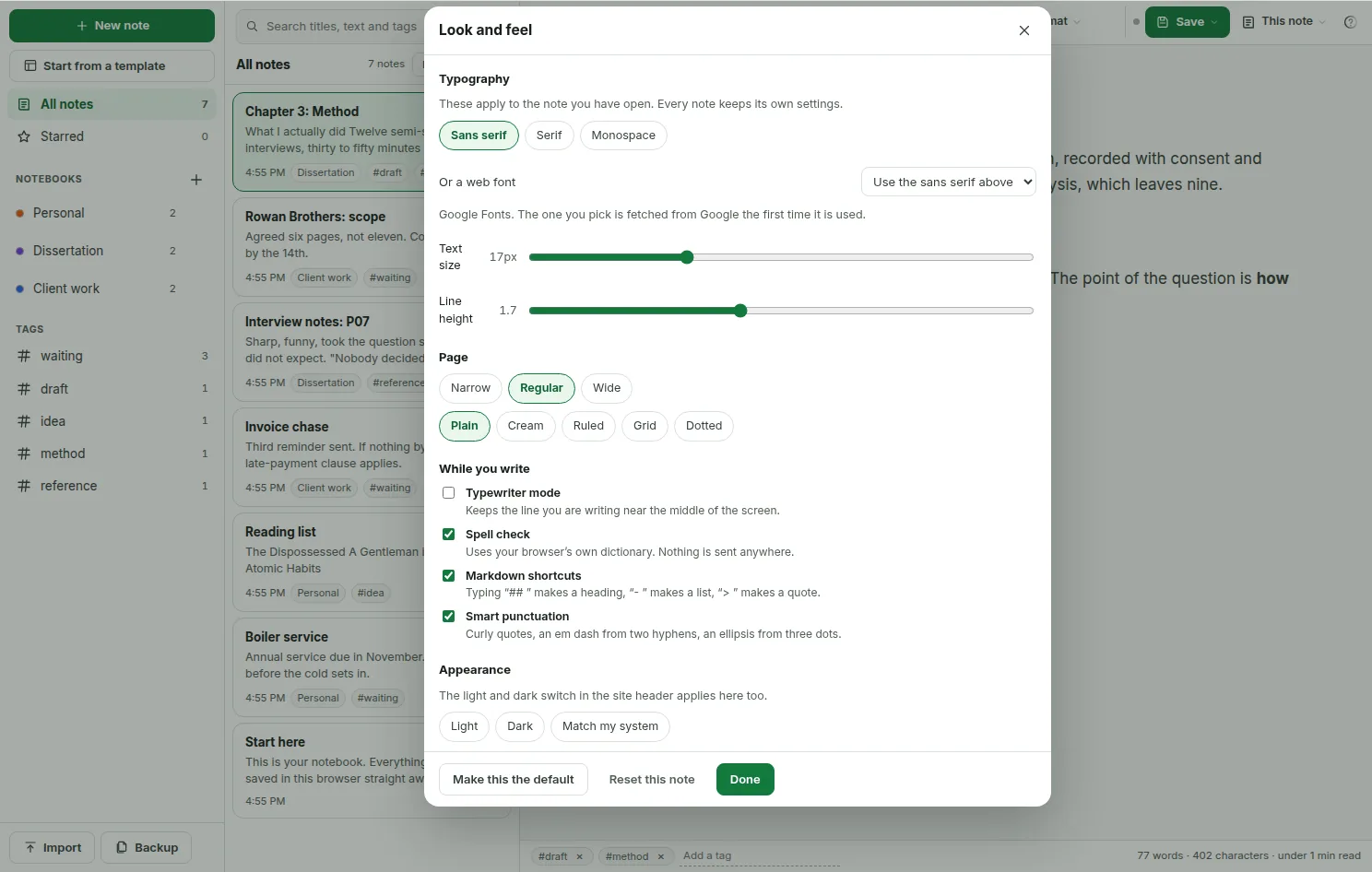
While you edit, the notepad keeps a copy of the note every few minutes. It holds the last 30 copies of each note. Open Version history from This note, read an older copy, and restore it if it was better.
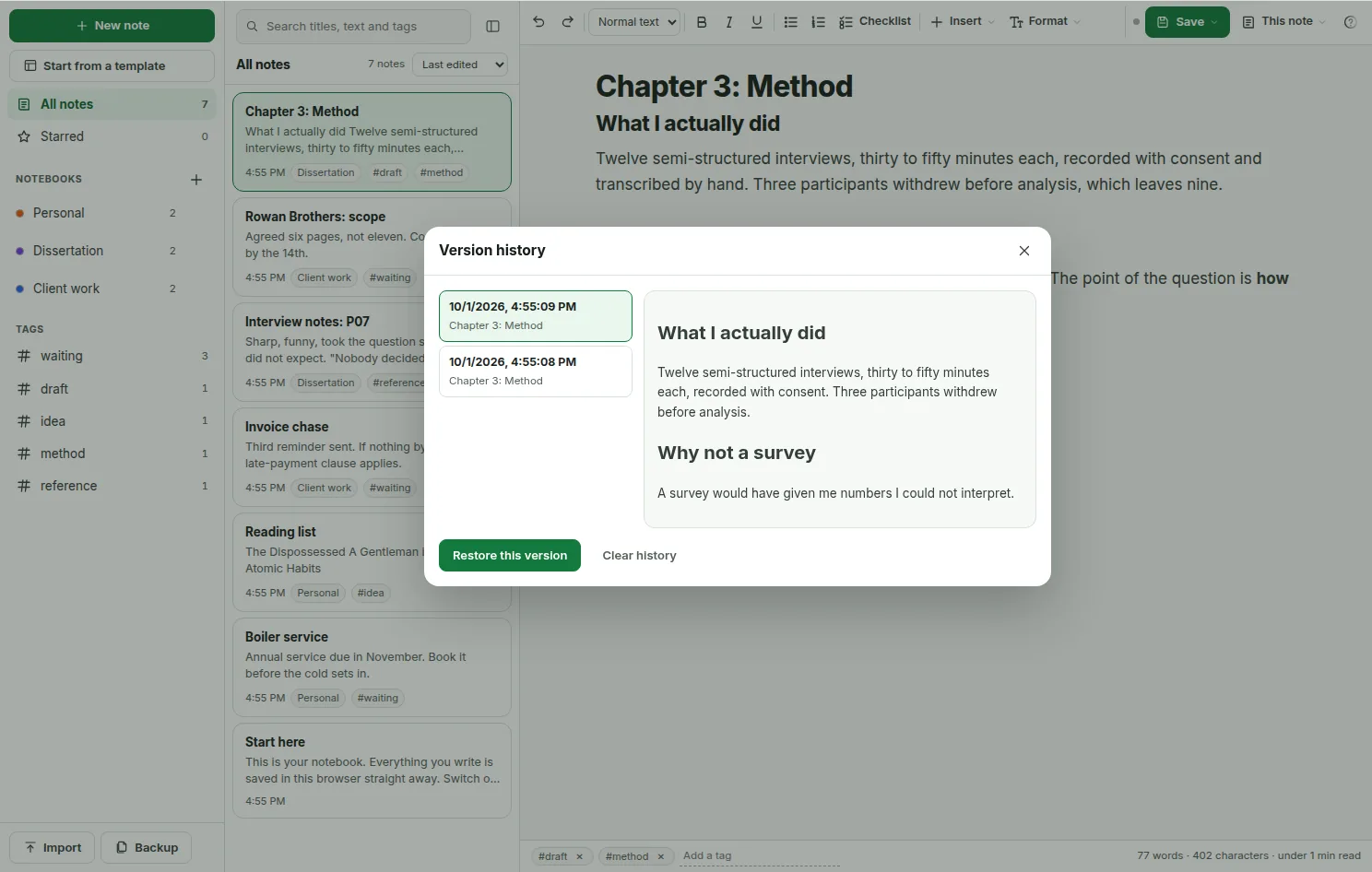
The Save button holds every way out. Each file is made inside your browser, so downloading a note doesn't send it anywhere.
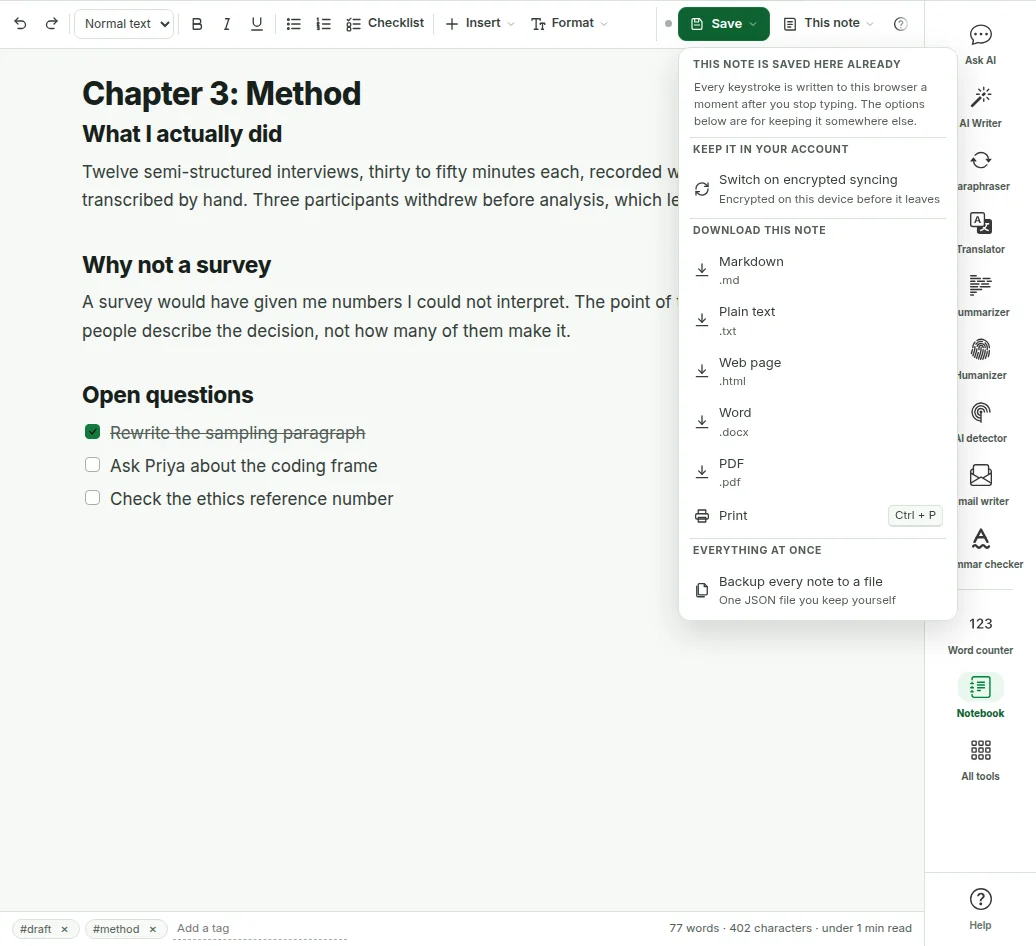
The light and dark switch in the site header sets the notepad too. Every note, menu and window follows it.
This decides what the notepad is good for, so it's worth knowing before you write anything important.
Notes are saved to IndexedDB, a small database your browser keeps for this site on this device. Typing, saving and downloading all happen there. Used this way, the notepad needs no account and never sends your writing to us.
There's a catch. Clearing your browser's site data deletes the notes, and so does moving to a new browser or computer. That's why Backup exists. A backup is one file with every note in it, and you can restore it into any browser.
Switch syncing on and your notes are saved to your account as well, so they survive a wiped browser and show up on your other devices. Each note is encrypted on your device with AES-256-GCM. The key is made from your account password with PBKDF2 and 310,000 rounds, and it never leaves your device.
So we store scrambled data we can't read. That also means we can't recover your synced notes if you forget the password. Syncing is off until you turn it on.
One thing does reach another server. If you pick one of the web fonts, your browser loads it from Google Fonts. That request names the font. It never includes your text.
Most note apps that sync can read what you wrote. This one is built so that it can't, because the key that unlocks your notes is never sent to us.
Each note is encrypted in your browser with AES-256-GCM before it's uploaded. The key is made on your device from your password and a salt that's unique to you.
Our server keeps the scrambled note, its id, a revision number, timestamps and whether it's a note or a notebook. The title, tags and text are all inside the scrambled part.
Sign in on your phone, enter the same password once, and your notes appear there. After that, new notes come across on their own.
| What it costs | No account | Free account | Pro |
|---|---|---|---|
| The whole editor | Yes | Yes | Yes |
| Notes kept in this browser | Unlimited | Unlimited | Unlimited |
| Download, import and backup | Yes | Yes | Yes |
| Encrypted sync | No | 50 notes | Every note |
If you go past 50 notes on a free account, nothing breaks. The extra notes stay in your browser and upload on their own when there's room or when you move to Pro.
| The trade-off | What it means for you |
|---|---|
| You forget your password | Your synced notes cannot be recovered by anyone, including us. There's no reset because we hold no key. The copies in your browser aren't affected. |
| You change your password | The key changes too, so notes synced earlier can't be opened with it. Turn sync off and on again and the notes in your browser upload again under the new key. |
| You search on another device | Search runs on your device over the notes it has unlocked. We can't search for you because we can't read anything. |
| You want to share a note | You can't. Sharing would mean handing someone else a key, and the design has no place for one. |
All of this is free and works without an account. There's no daily limit because none of it runs on our servers.
| Feature | What it does |
|---|---|
| Text editor | Headings 1 to 4, bold, italic, underline, strikethrough, superscript and subscript, bullet and numbered lists, checklists, quotes, code blocks, dividers, links, tables, images, alignment and indenting. |
| Fonts and sizes | More than 40 fonts, including handwriting styles, and 12 text sizes from 11 to 48px, applied to the words you select. Letter spacing, line and paragraph spacing, and case changes such as sentence case. |
| Colour | Twenty text colours, twelve highlighter shades, a colour wheel, a hex field and your recent colours. Four coloured callout boxes for the line that matters. |
| Format painter | Copies the look of one passage, such as its font, size, colour and spacing, onto another. |
| Find and replace | Highlights every match in the note. Step through them one at a time or replace them all, with match case and whole word options. |
| Tables | Add and remove rows and columns, merge and split cells, turn on a header row and set column widths. |
| Footnotes | A numbered marker in the text and a list at the bottom. Numbers update on their own, and deleting a marker removes its footnote. |
| Folding sections and page breaks | Fold a long passage away under a heading. Add a page break that takes effect when you print or save a PDF. Six divider styles. |
| Comments | Notes to yourself attached to a passage. They're highlighted in the editor and left out of every file you download. |
| Markdown shortcuts | Type ## for a heading, - for a bullet list, 1. for a numbered list, [] for a checklist, > for a quote and --- for a divider. Straight quotes turn curly and three dots become an ellipsis. You can switch both off. |
| Symbols and emoji | Arrows, maths and currency signs and other characters that are awkward to type, plus common emoji. |
| Word goals and due dates | Set a word target and a ring fills as you write. Give a note a due date and the list shows it, and flags it when it's late. |
| Autosave | Saves less than a second after you stop typing, and again when you switch tabs. |
| Version history | A copy every few minutes while you edit, up to 30 per note. Read any of them before you restore it. |
| Notebooks and tags | One notebook per note and as many tags as you like. Colour labels for notebooks and notes. |
| Search and sort | Search titles, note text and tags as you type. Sort by last edited, date created or title. |
| Trash | Deleted notes wait in the trash until you empty it, and you can restore any of them from there. |
| Templates | 22 templates for work, study, writing and personal notes, such as meeting notes, lecture notes, an essay plan, a daily journal and a trip planner. Or start blank. |
| Focus and typewriter modes | Hide everything except the page, or keep the line you're writing near the middle of the screen. |
| Outline and split view | The outline lists every heading in the note so you can jump around. Split view shows a second note beside the one you're writing. |
| Word count and readability | Words, characters and reading time under every note. The statistics panel adds speaking time, paragraph count and a Flesch reading ease score for English. |
| Download | Markdown, plain text, a web page, Word .docx or PDF, and print. All made in your browser. |
| Import | Drop or choose .md, .txt, .html, .docx and .pdf files. Word files keep their headings and lists. PDFs come in as text. |
| Backup and restore | One JSON file with every note, notebook and setting. Restore it into any browser. |
| Encrypted sync (optional) | Keep notes in your account, encrypted on your device first, and open them on another. 50 notes free, every note on Pro. |
| Command palette | Press Ctrl + K and type part of a command's name to run it. |
| Works offline | Once the page has loaded, you can write, search and download text files with no connection. |
A notepad in your browser is the right tool for some jobs and the wrong one for others.
A library or lab computer won't let you install anything. This opens in a tab, keeps your notes on that machine, and saves the essay as a Word file when it's due. Take a backup file with you before you log off.
Case notes, a complaint letter, health details or a first draft of a resignation. If you leave sync off, nothing you write is uploaded anywhere.
There's no sign-up, no tour and no workspace to name. You open the page and there's a place to type, which is how a notepad should work.
There's no sharing, no shared comments and no permissions. Two people can't work in one note. If several people need the same document, use a tool built for that.
If you sync, your password is the key. Lose it and the synced notes are gone. If that worries you, leave sync off and keep backup files instead.
Browser storage is reliable but not guaranteed. Years of journals deserve a backup file in your own cloud drive as well. That's true of every notes app, this one included.
The big note apps are good tools. They're built for a different job.
| This online notepad | Google Keep, Notion, Evernote | A desktop app such as Obsidian | |
|---|---|---|---|
| Account needed | No | Yes | No |
| Where notes are kept | Your browser, plus an encrypted copy on our server if you choose | The company's servers | Files on your computer |
| Sync between devices | Yes, end-to-end encrypted | Yes | With your own sync tool or a paid add-on |
| Sharing and teamwork | No | Yes | Limited |
| Install needed | No | No, but an account is | Yes |
| Cost | Free, with sync for 50 notes on a free account | Free plans with limits, then paid | Free, with some paid extras |
| If you forget your password | Synced notes can't be recovered | Reset it and carry on | Doesn't apply |
If you need to share notes with other people, use an app with accounts and sharing. If you want a quick place to write that keeps your notes to yourself, use this.
Ctrl + K opens the command palette, where you can type part of any command's name, such as export, history or focus. Ctrl + Alt + N starts a new note from anywhere. The full list is behind the question mark in the toolbar.
A note sits in one notebook, so make notebooks your subjects, like Dissertation, Clients or Home. Use tags for the state a note is in, like draft, waiting or idea. That keeps the sidebar short.
Open the outline on anything longer than a page. If the headings read like a sensible table of contents, the piece has a shape. If they don't, you've found that out early.
Once a week, or after a long session, press Backup and put the file in a cloud drive you already use. It takes a few seconds and covers the main weakness of any notepad that lives in a browser.
Yes. The whole notepad is free, with no account and no limit on how many notes you keep in your browser. The only paid part is syncing more than 50 notes to your account, which comes with Pro.
No. Open the page and write. You only need an account if you want your notes saved to it and available on another device.
Yes. Each note is saved to your browser less than a second after you stop typing, and again when you switch tabs. There’s no save step to forget. The Save button is only for downloading a file or turning on sync.
In your own browser, in a database called IndexedDB that belongs to this site on this device. Nothing is uploaded unless you turn sync on. If you do, each note is encrypted on your device before it’s sent, so we only ever hold data we can’t read.
With sync off, your notes never leave your device, and no AI reads them. With sync on, they’re encrypted with AES-256-GCM using a key made from your password, and we hold no key. The one outside request is a web font from Google Fonts if you pick one, and that names the font, never your text.
Yes, if you turn sync on. Sign in on the other device and enter the same account password, and your notes appear there. A free account syncs 50 notes and Pro syncs every note. With sync off, notes stay in one browser, and you can move them with a backup file.
Your synced notes cannot be recovered, by support or by us. The key that unlocks them is made from your password on your device and never reaches our server. The notes in your browser aren’t affected, and a backup file always stays readable, so keep one.
Yes. It works in the browser on any phone or tablet. On a phone you see one screen at a time, the note list or the note, and the toolbar sits at the bottom of the screen.
Once the page has loaded, yes. You can write, search, organise and download Markdown, text or HTML with no connection. Word and PDF downloads load a small library the first time, so do one while you’re online. Opening the page from scratch needs the internet.
Yes. Any note can be saved as Markdown, plain text, a web page, a Word .docx file or a PDF, or printed. The files are made in your browser. If a note has text outside the Latin alphabet, such as Arabic or Hindi, the PDF option opens your browser’s print window so the right fonts are used.
Yes. Drop files onto the page or use Import. Markdown, plain text and HTML keep their structure. Word files keep their headings and lists, and PDFs come in as text, without the layout.
It goes to the trash and stays there until you empty it, so you can restore it. Each note also keeps its last 30 versions, saved every few minutes while you edit, so you can get back a paragraph you cut earlier.
Yes. Words, characters and reading time show under every note as you type. The statistics panel adds speaking time, paragraph count and a Flesch reading ease score for English. For keyword density and more, use our word counter.
Yes. The light and dark switch in the site header sets the notepad too. It follows your device setting until you choose one yourself.
No. There are no share links and no shared editing. To send a note to someone, download it as Word, PDF or text and send the file.
It’s closer to a simple word processor. Windows Notepad saves plain text files on your computer, and Notepad++ is built for code. This notepad keeps notes in your browser with formatting, notebooks and search. If you need a plain .txt file, use Save and choose Plain text.
No. It’s a writing tool and it deliberately does not send your text to any AI model, which is why it has no limits. Our other tools do use AI and say so. If you want AI help with a note, copy it into the paraphraser or summarizer yourself.
Your browser decides, and it’s usually generous, often hundreds of megabytes. Text takes very little room, so images are the real limit, which is why each image is capped at 2 MB. The Backup window shows how much space the site is using.
Those apps run on accounts and company servers, which gives you sharing and teamwork. This notepad needs no account, keeps notes in your browser, and opens in a second. If you need to share notes with a team, use one of them.
Write it here, then take it to the next step.
Text you paste into our AI tools is covered by our privacy policy, and what each plan includes is on the pricing page. The notepad is free on every plan, including without an account.