
 Upgrade
Ask in plain words
Write it the way you’d say it. You don’t need a special prompt or a mode.
Ask AI can be wrong. Check anything important.
Type a question and get a clear answer. Then ask the next one, because it remembers the conversation. You can also attach a PDF or Word file and ask about that. No sign-up needed.
Three steps, and none of them needs an account.
Write it the way you’d say it. You don’t need a special prompt or a mode.
It appears as it’s written, with headings, lists or a table when that helps.
Three suggested follow-ups appear under each answer, or ask your own. Each chat is saved in the list on the left.
We asked these on 30 September 2026 from a signed-in account. Guests get the same AI model. The answers are printed as they came back.
Explain compound interest in two sentences, then work out what £200 a month for 30 years at 5% a year grows to, compounded monthly.
Compound interest is the process of earning interest on both your initial principal and the accumulated interest from previous periods, which causes your balance to grow at an accelerating rate over time. By reinvesting your earnings rather than withdrawing them, your money compounds, allowing your savings to grow significantly larger than they would with simple interest alone.
To calculate the future value of monthly contributions, I used the formula:
FV = P × (((1 + r)^n - 1) ÷ r)
Where:
- P (monthly payment) = £200
- r (monthly interest rate) = 0.05 ÷ 12 ≈ 0.0041667
- n (total number of months) = 30 × 12 = 360
Calculation:
1. (1 + 0.0041667)^360 ≈ 4.46774
2. 4.46774 - 1 = 3.46774
3. 3.46774 ÷ 0.0041667 ≈ 832.2576
4. 200 × 832.2576 ≈ 166,451.52
After 30 years, your £200 monthly contributions would grow to approximately £166,451.52.
The working is shown step by step. The exact figure is £166,451.83; the small gap comes from rounding the monthly rate to 0.0041667. The follow-ups it suggested were “How does inflation affect this final amount?” and “What is the difference between simple and compound interest?”
Can I leave after 6 months, and when do I get my deposit back? Quote the clauses.
Attached: a five-clause tenancy agreement (tenancy.txt).
The agreement does not expressly allow you to end the fixed-term tenancy after six months. It states that the tenancy runs for a fixed term of 12 months, beginning 1 November 2026, and that you must give two months’ written notice “to end the tenancy after the fixed term.” This suggests the notice provision applies after the 12-month term, not to leaving at the six-month point. Check whether local tenancy law or a separate break-clause or mutual-agreement provision applies.
The relevant clauses are:
- Clause 1: “The tenancy starts on 1 November 2026 for a fixed term of 12 months.”
- Clause 3: “The tenant must give two months written notice to end the tenancy after the fixed term.”
- Clause 4: “A security deposit of PKR 170,000 is held by the landlord and returned within 30 days of the end of the tenancy, less any deductions for damage.”
So, your deposit should be returned within 30 days after the tenancy ends, less deductions for damage. The agreement does not specify an earlier refund if you leave after six months, nor does it state whether rent remains payable for the rest of the fixed term if you leave early.
It quoted the clauses it relied on and said what the agreement doesn’t cover, such as whether rent is still due if you leave early. That is the behaviour you want on a contract. It is still not legal advice.
Who is the UK prime minister?
As of my training data, the Prime Minister of the United Kingdom was Keir Starmer. This information may have changed since then; for the most accurate and up-to-date information, you should check the official UK government website at gov.uk.
It can’t check the news, so it gives the last answer it knows, says it may have changed, and points you to the official source.
Ask for a simple explanation, then an example with real numbers, then the common mistakes.
Renting or buying, which job to take, which debt to pay first. Ask for both sides and what you might have missed.
Attach the contract or policy and ask what it commits you to. Ask it to quote the clause so you can check.
Paste a plan, an argument or a calculation and ask where it’s weakest.
Press the + next to the message box and attach a file. Then ask about it in plain words.
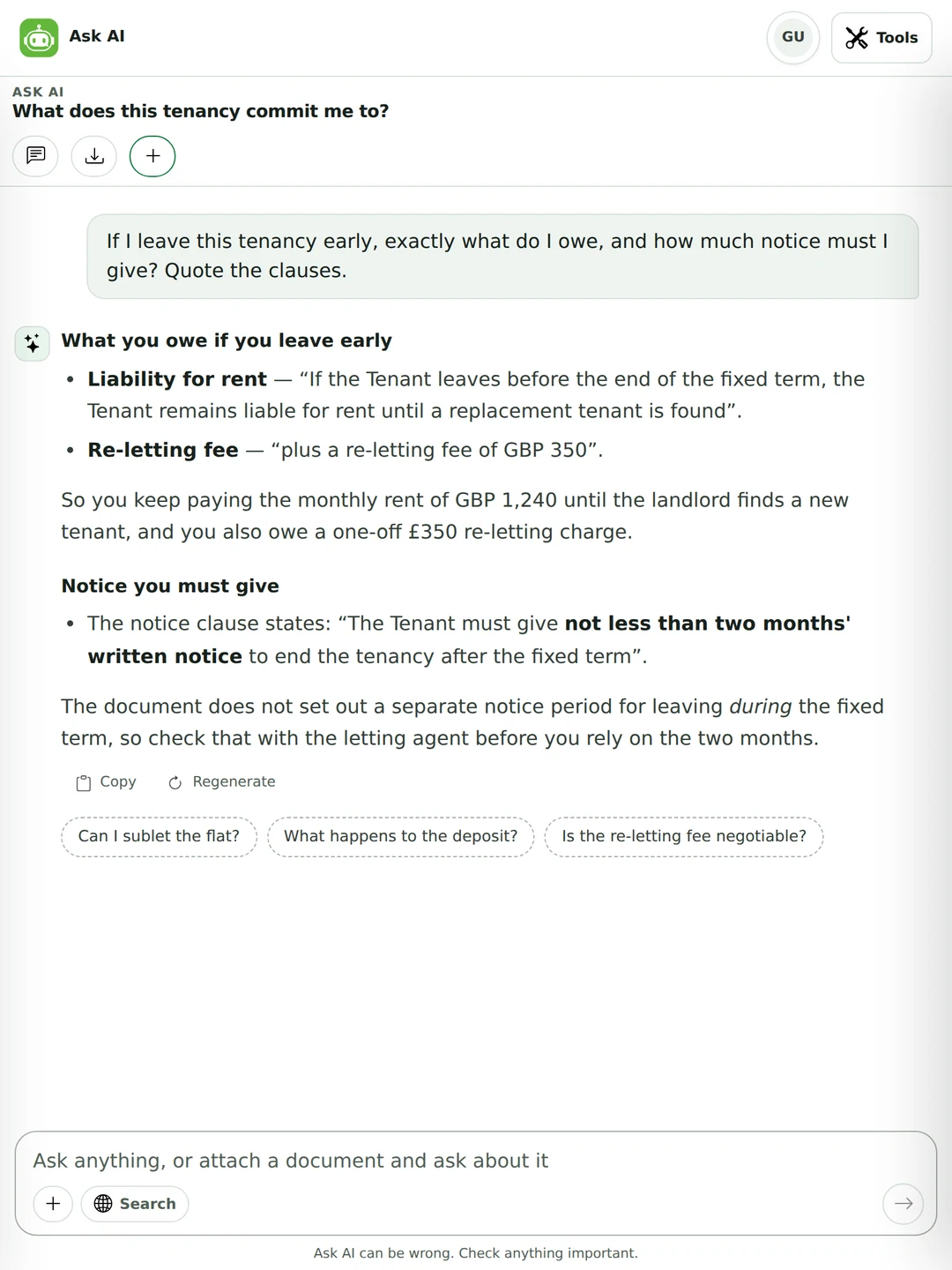
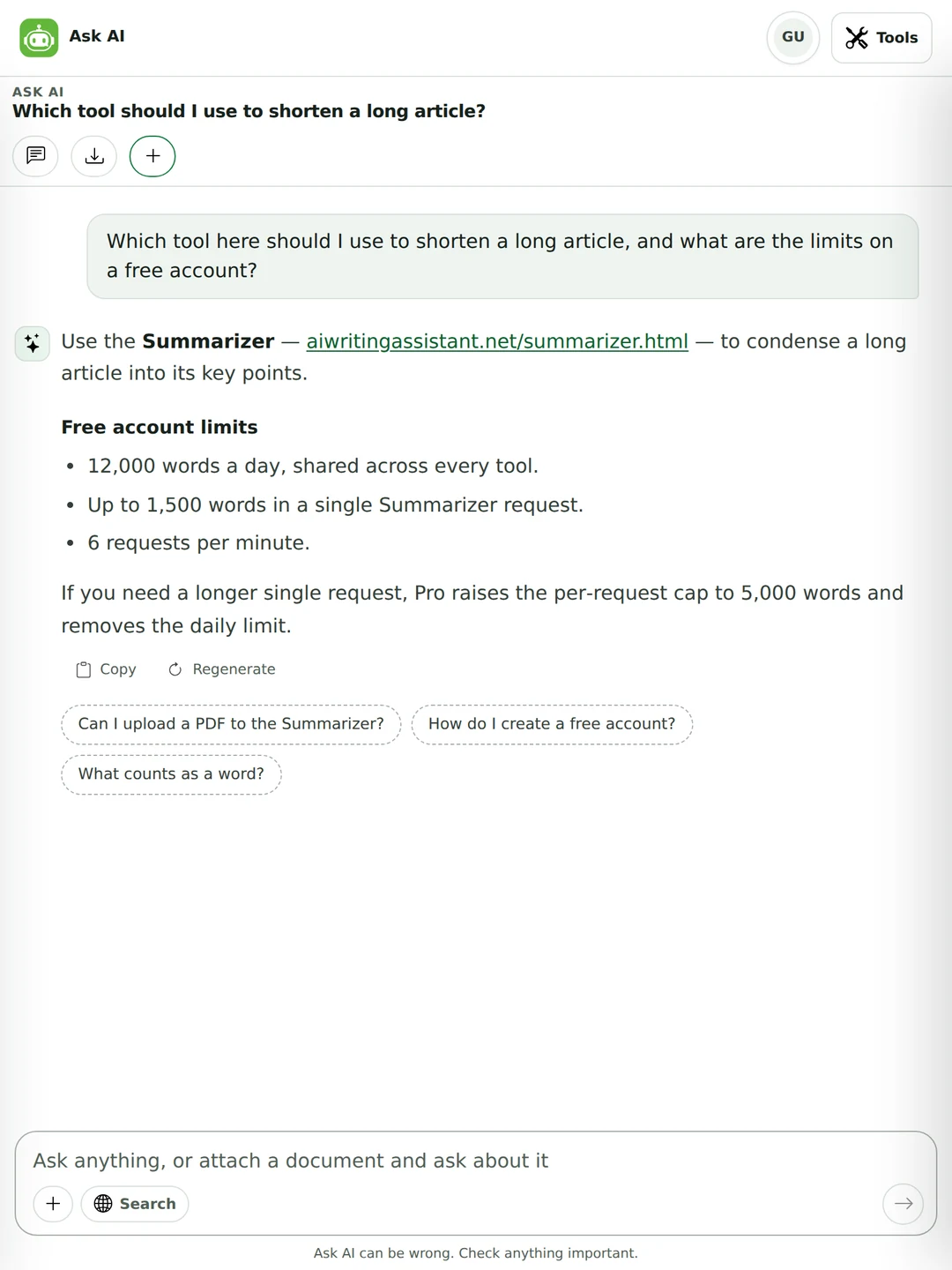
Ask which tool fits a job, or what your plan allows. It reads the site’s own pages and the limits the server actually uses.
Every AI model learns from text up to a certain date. After that, prices change, people change jobs and new products come out.
Only your question counts toward your daily words, never the answer. A file counts once, when you attach it. Your words a day are shared with the other tools.
| Guest | Free account | Pro | |
|---|---|---|---|
| Questions a day | 20 | 50 | 500 |
| Words in one question | 250 | 600 | 3,000 |
| Earlier messages it remembers | 8 | 16 | 24 |
| Characters read from an attached file | 6,000 | 12,000 | 24,000 |
| Longest answer | about 1,300 words | about 1,900 words | about 3,000 words |
In a long chat the oldest messages drop out of its memory first. If it loses the thread, repeat the key detail or start a new chat.
Picking the right one saves time.
| You want to | Use | Why |
|---|---|---|
| Understand something or think a decision through | Ask AI | You can keep asking until it makes sense. |
| Find today’s price, news or a specific page | A search engine | Ask AI doesn’t search the web. |
| Ask what a document means | Ask AI | Attach it and ask in plain words. |
| Shorten a long article | Summarizer | Built for it, with length and style options. |
| Reword a passage | Paraphraser | Keeps the meaning, changes the wording. |
| Fix grammar and spelling | Grammar Checker | Shows each mistake with a one-click fix. |
| Write a draft from a brief | AI Writer or Email Writer | Formats, tones and lengths, and it checks the draft against your brief. |
“Explain it to someone who never studied economics” works better than “explain it simply”.
“I have £4,000 and eight months” gets an answer you can use. “I have some savings” doesn’t.
A table, five bullet points, a checklist or a short paragraph. If the first answer isn’t right, just say so.
“That’s too vague”, “show the calculation”, “give me the other side”. The follow-up is where the good answer comes from.
Treat an answer as a well-read friend’s opinion. For money, health or legal decisions, check it before you act.
Ask it to explain a topic or check your working. Write the answer in your own words, and follow your school’s rules. See our academic integrity page.
Yes, and you don’t need an account. Guests can ask 20 questions a day, a free account 50, and Pro 500. Only your question counts toward your daily words, never the answer.
Yes. Open the page and type. An account only raises your limits and keeps your plan the same on every device.
Yes, within a conversation. You can say “make that shorter” or “now do it for Spain” and it knows what you mean. It remembers 8 earlier messages as a guest, 16 with a free account and 24 on Pro.
Yes. Attach a PDF, Word, TXT, Markdown, CSV, RTF or JSON file up to 12 MB and ask about it. The file is read in your browser and isn’t stored on our servers.
No. It answers from what the AI model learned, which stops at a certain date. For anything that changes, it says its answer may be out of date and tells you where to check. For today’s news or prices, use a search engine.
20 as a guest, 50 with a free account and 500 on Pro. Each question can be up to 250, 600 or 3,000 words. The limits reset every day.
Yes. Ask which tool fits a job, what your plan includes or how the limits work. It answers from the site’s own pages and the limits the server uses.
A strong general model chosen for good answers in many languages, with backups if it’s busy. We don’t tie the page to one model name, because the best choice changes. Every request goes to providers that don’t keep your text.
It’s the same kind of tool, an AI chat you can ask anything, but it isn’t ChatGPT. It also knows this site’s writing tools and will send you to the right one when your question is really a writing job.
No. AI can be confidently wrong or out of date. Check anything that matters before you act on it.
It can explain a topic, show the steps of a problem and check your working. Write the answer yourself and follow your school’s rules on AI.
They’re saved in your own browser, not on our servers. Each question is sent with the conversation so the AI has context, and then discarded. We only keep word counts for your limits. Clearing your browser data deletes your chats.
Yes. Export saves the whole chat as a Markdown file, and each answer has a Copy button. Because chats live in your browser, exporting is how you keep one for good.
Ask in any major language and it answers in that language. For a careful translation of a whole document, the Translator is the better tool.
Yes. The chat list slides in from the side on a small screen. Chats are saved per browser, so one started on a laptop won’t appear on your phone.
Ask AI will point you at these when your question is really a writing job. One plan covers all of them — see pricing.