
 Upgrade
Describe what you need
Say who it’s for, what it should cover and any facts that must be in it. Two sentences are enough to start.
Create a useful, well-structured article from your brief. Your finished draft remains editable.
Files are read in your browser and only the extracted text is sent. Drafts are saved in this browser so you can come back to them.
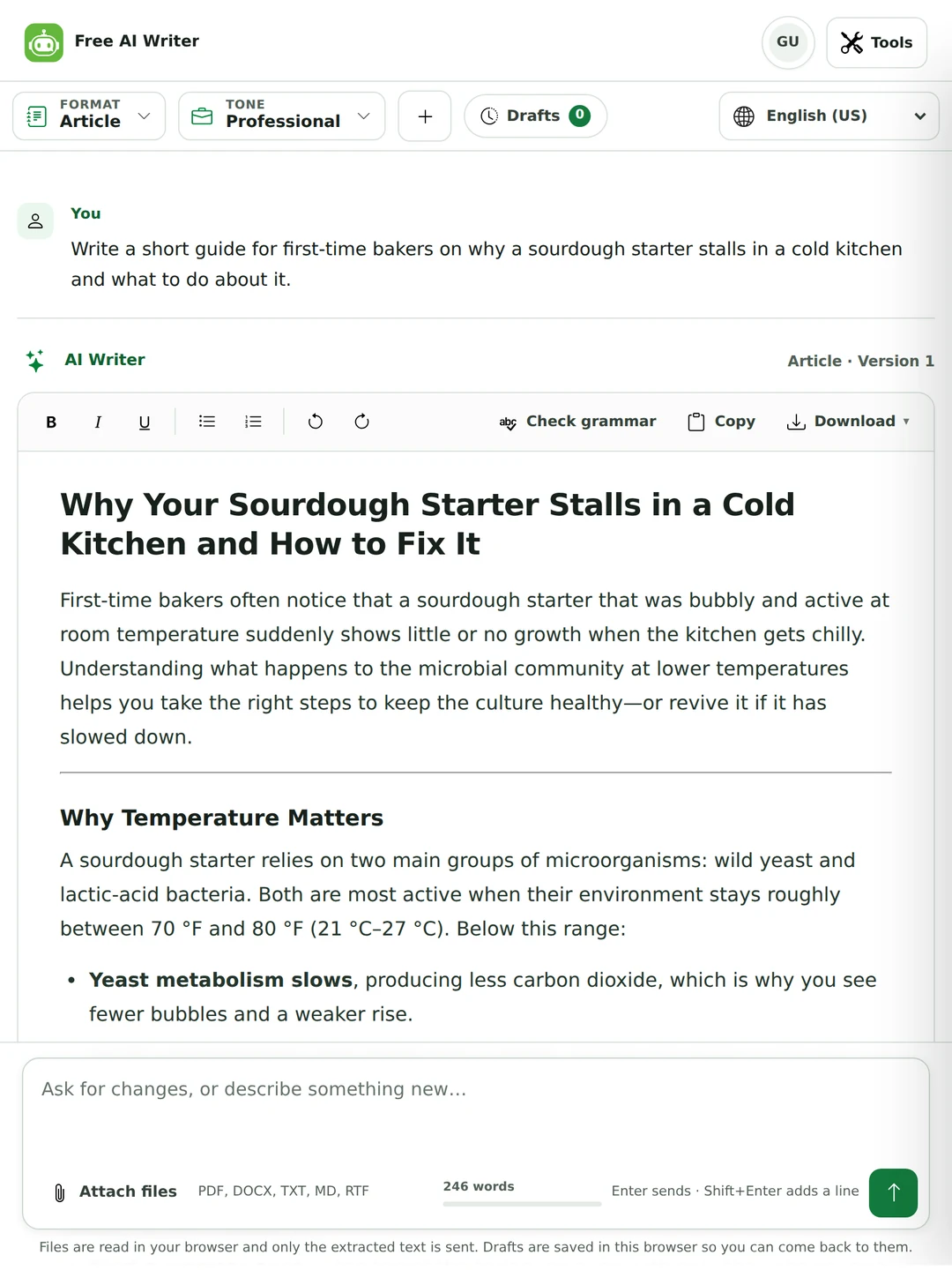
Tell it what you need in a sentence or two, pick a format, and it writes a first draft with the title and headings in place. The draft opens as a document you can edit, revise with a follow-up, then copy or download. It’s free and you don’t need an account.
Last updated 30 September 2026.
Say who it’s for, what it should cover and any facts that must be in it. Two sentences are enough to start.
The format decides the shape: an article with headings, a product description with labelled parts, an outline, a post. Tone and length set the voice and size.
Change lines yourself, or type a follow-up like “make the intro shorter”. The earlier version stays available.
We sent this as a guest on 30 September 2026, with the Article format, a Professional tone and Standard length. Below is the title, the opening paragraph as written, and the headings of the rest.
Write a short article for small online shop owners on how to reply to a bad review. Keep it practical.
How Small Online Shop Owners Can Turn a Bad Review Into a Positive Experience
Running a small online shop means every interaction with a customer matters. When a dissatisfied buyer leaves a negative review, the impulse may be to ignore it, delete it, or respond defensively. While those reactions feel natural, they can actually harm your reputation and deter future shoppers. A thoughtful, timely reply not only addresses the specific complaint but also demonstrates to prospective customers that you care about service quality. Below is a step-by-step guide to crafting effective responses that protect your brand and, when possible, convert a critic into a loyal patron.
Headings in the rest of the draft:
The draft opens in an editor with its title, headings and paragraphs in place, so you don’t have to copy it out of a chat first.
The format changes the shape of what comes back, not just the wording. Seven of the eleven are free.
| Format | Good for | What you get | Plan |
|---|---|---|---|
| Article | Blog posts and guides | Title, headings and paragraphs | Free |
| General writing | Letters, notes, anything else | Whatever shape you describe | Free |
| Essay outline | Planning an essay | A numbered outline in argument order | Free |
| Product description | Shop and catalogue pages | Headline, short description, benefits, details | Free |
| Social post | LinkedIn, Instagram, X and others | One post with a hook | Free |
| Shorten text | Cutting a draft down | The same text, shorter, with every fact kept | Free |
| Expand text | Filling out short notes | Fuller text with no new facts | Free |
| SEO content | A page meant to rank | Title, meta description, slug and the article | Pro |
| App Store listing | Google Play and the App Store | Titles and descriptions within store limits | Pro |
| Newsletter | Email newsletters | Subject, preview text, body and call to action | Pro |
| Landing page | A page you already have a layout for | Headline, supporting line, page copy, call to action | Pro |
Product description format, Friendly tone, Short length. Two guest runs of the same brief from 30 September 2026, printed as they came back.
Product description for a handmade ceramic coffee mug. 350 ml, dishwasher safe, made in small batches, so each glaze looks a little different. Keep it honest, not salesy.
Product headline: Handcrafted 350 ml Ceramic Coffee Mug
Short description: A sturdy, dishwasher-safe mug that holds a generous cup of coffee, each piece uniquely glazed thanks to small-batch production.
Key benefits
• Holds 350 ml, perfect for a standard coffee serving.
• Handmade ceramic provides a warm, tactile feel.
• Dishwasher safe for easy cleanup.
• Small-batch glazing means no two mugs are exactly alike, adding a personal touch to your daily routine.
Product details
• Capacity: 350 ml (≈12 oz)
• Material: High-quality ceramic, fired for durability
• Care: Safe for dishwasher and microwave use
• Production: Crafted in limited batches, resulting in subtle variations in glaze color and pattern that give each mug its own character.
This first draft called the mug microwave safe, “sturdy” and “fired for durability”. The brief said none of that. On a shop page those are claims you’d have to stand behind.
Product description for a handmade ceramic coffee mug. 350 ml, dishwasher safe, made in small batches, so each glaze looks a little different. Keep it honest, not salesy.
Product headline: Handcrafted Ceramic Coffee Mug – 350 ml
Short description: Enjoy your favorite brew in a uniquely glazed, 350 ml ceramic mug that’s made in small batches and safe for dishwasher cleaning.
Key benefits
• One-of-a-kind glaze on each mug, giving you a personal touch for every cup.
• Easy cleanup: dishwasher safe for convenient everyday use.
• Small-batch production supports artisanal craftsmanship.
Product details
• Capacity: 350 ml.
• Care: dishwasher safe.
• Production: handmade in limited batches, so no two mugs are exactly alike.
Guest runs from 30 September 2026. The outline is summarized point by point; the post is printed as it came back.
Essay outline: should schools ban phones during class? I think a ban during lessons makes sense, but not at break time.
It kept the writer’s own position and built the argument around it. An outline is a good use of AI for school work: the thinking and the writing stay yours. Check your course’s rules first. Our academic integrity page explains where the line usually is.
LinkedIn post: our small bakery in Lahore turns 5 this Saturday. We started with one oven. Thank our customers and say there will be free tea for everyone who visits on Saturday.
Our little bakery in Lahore is celebrating its 5th anniversary this Saturday! 🎉 From a single oven, we’ve grown thanks to your amazing support. To show our gratitude, we’re offering free tea to every guest who stops by on Saturday. Come share a cup—thank you for being part of our journey!
Lahore, five years, one oven, the thank-you and the free tea on Saturday are all there. Before the brief check, a run of the same brief dropped “Lahore” and added “a bustling kitchen”. This time the check took out “a bustling kitchen”, and “a slice” next to the free tea, which the brief never offered.
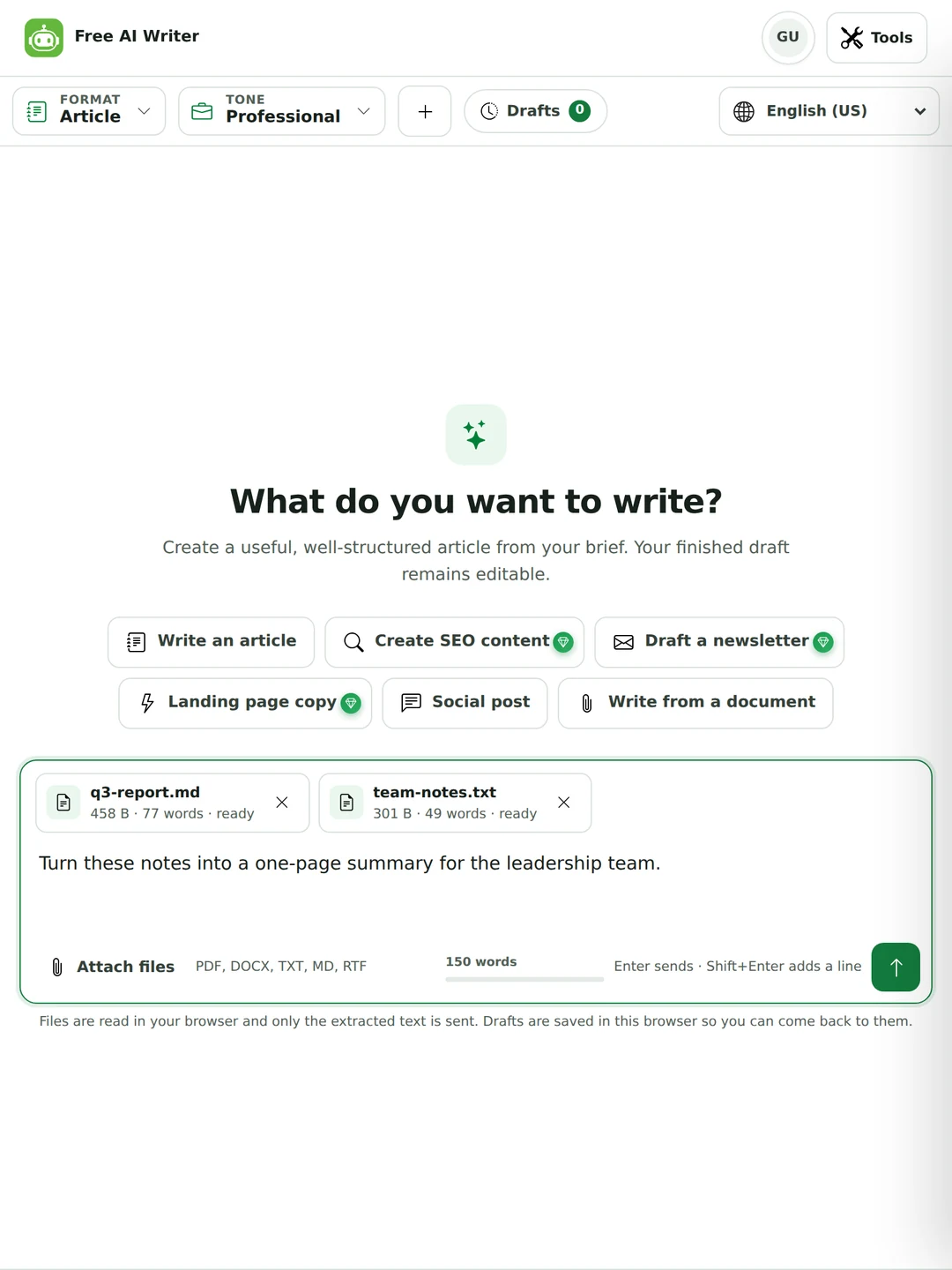
Attach a report, a spec sheet or your notes, and the writer works from that text instead of guessing.
Most weak drafts come from vague briefs. These four things make the biggest difference.
A first draft reads like a first draft. Ten minutes of editing fixes most of it.
No, not for being AI-written. Google spam policies target content made mainly to game rankings, however it was produced. What matters is whether the page helps the reader.
Reports, updates, product pages and client emails, drafted fast and then checked.
Outlines and plans for essays you then write in your own words, within your course’s rules.

The message you’ve been putting off, from a complaint to a thank-you note.
Yes, and you don’t need an account. Seven of the eleven formats, five of the seven tones and the Short and Standard lengths are free. SEO content, App Store listing, Newsletter, Landing page, the Academic and Persuasive tones and the Detailed length come with Pro. The pricing page has the details.
Your brief and any attached text can be up to 400 words as a guest, 1,000 with a free account and 3,000 on Pro. The draft it writes back doesn’t count toward that. You can make 15 drafts a day as a guest, 40 with a free account and up to 400 on Pro; the Email Writer, Social Media Post Generator, Headline Generator and AI Content Generator share that number.
It depends on the format and length. An Article aims for 600 to 900 words at Standard, 250 to 400 at Short and 1,100 to 1,500 at Detailed, and a draft that runs more than 5% over the top of that range is cut down before you see it. A product description at Short aims for 90 to 150 words.
This one. Open the page and write. An account only raises your word allowance and keeps your plan the same on every device.
Yes. Use the Article format with Standard length. For more, use Continue writing to extend the same draft rather than starting again.
It can write an outline or a draft, but check your school’s rules first. Many courses allow AI for planning but not for the essay you hand in. An outline you then write yourself is the safe use.
Yes. Attach up to four PDF, Word, TXT, Markdown or RTF files. They’re read in your browser and only the text is sent, and the draft sticks to what the documents say.
It’s told not to invent statistics, quotes, prices or dates. Product descriptions, social posts, landing pages and newsletters also go through a check that compares each sentence with your brief and takes out details you didn’t give, like calling a mug microwave safe. Articles and essays don’t get that check, and no check is perfect, so read every detail before you publish.
64 languages, including five kinds of English, Spanish, French, Arabic, Urdu, Hindi, Chinese, Japanese and Filipino / Tagalog. Pick the writing language in the menu.
Not for being AI-written. Google spam policies target pages made mainly to manipulate rankings, however they were made. A useful, edited article is fine.
Rewrite the opening in your own words, cut most of the long dashes, add one detail only you know, and read it out loud.
The text isn’t copied from one source, so it isn’t plagiarism in the usual sense. It can still break a school or workplace AI policy, which is a separate rule.
You do. Our terms say we claim no ownership of what the tool writes for you, so you can publish or sell it. You’re responsible for checking it first.
No. Your text is used to write the draft and isn’t stored on our servers or used for training. Drafts are saved in your own browser so you can come back to them.
Yes. The SEO content format (Pro) writes a title, meta description, slug and the article around one topic. On the free plan, use Article and add your keywords in Brief details.
You don’t write a long prompt. You pick a format and it comes back in that shape, in an editor you can work in, with your keywords checked and your files read in the browser.
Check the grammar, change the tone, or shorten what you wrote. One plan covers every tool.