
You asked an AI for a first draft, and it delivered: correct, complete and somehow lifeless. Every sentence is the same length. Nothing is wrong and nothing sticks. Readers notice within two lines, and so do teachers, editors and clients who see a lot of AI text.
Sounding human isn't a mystery. It comes down to a small set of habits that language models fall into, and each habit has a specific fix. Below are the nine edits we use most, each with a before-and-after.
How do you humanize AI text?
You humanize AI text by editing out the habits that make it read as generated, then adding what only you know. Vary the sentence length, delete hedges and stock phrases, cut the summary sentences, use contractions, and add at least one real specific and one real opinion per section. A tool can handle the mechanical part. The specifics and the opinion have to come from you.
Why AI text sounds like AI
Models are trained to produce the most likely next word, so they drift towards the average of everything they've read. The result is smooth and generic. The tells are consistent:
- Even rhythm. Sentence after sentence of 15 to 22 words, with no short ones to land a point.
- Hedging. "It is important to note that", "can potentially", "in many cases". Cushions that say nothing.
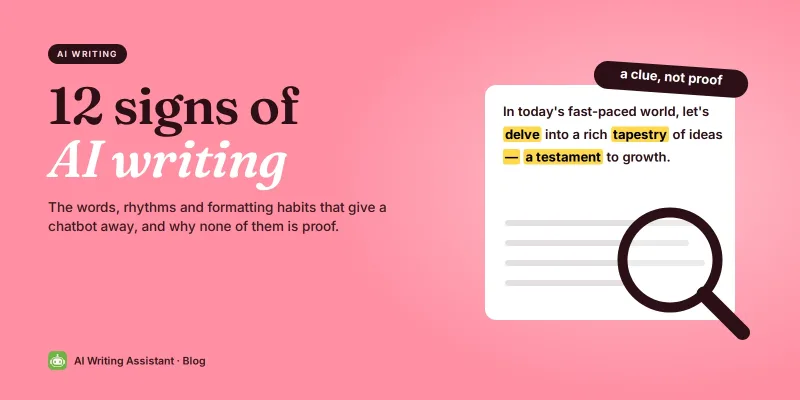
- Stock phrases. "In today's fast-paced world", "delve into", "a testament to", "unlock the power of".
- No specifics. "Many businesses" instead of a number, "various tools" instead of a name.
- Tidy summaries. Every section ends by restating itself.
1. Break the rhythm
Read the draft aloud. Wherever three sentences in a row are about the same length, cut one to under eight words. Short sentences carry emphasis. Long ones carry detail. A human paragraph mixes both.
2. Delete the hedges
Search the draft for "important to note", "potentially", "in many cases", "it can be argued" and "generally speaking". Delete them. If the sentence is true, say it. If it's only sometimes true, say when. "Exercise can potentially improve sleep in many cases" becomes "Exercise improves sleep for most people, as long as it isn't right before bed."
3. Swap stock phrases for plain words
Some words are so overused by models that readers now flinch at them. Replace each one with the word you'd use in conversation:
| AI favourite | Say instead |
|---|---|
| delve into | look at |
| a testament to | shows |
| leverage | use |
| in today's fast-paced world | (delete it) |
| navigate the complexities of | handle |
| robust, seamless | reliable, smooth, or a specific detail |
| it's worth noting that | (delete it) |
4. Add one specific per paragraph
This edit does the most work. A model can't know your numbers, names or experiences, so it writes around them. You can fill them in. "Many teams struggle with long meetings" might become "Our Monday stand-up used to run 50 minutes. Now it runs 12." Use your own real details. One per paragraph is enough to make the whole piece feel lived rather than generated.
5. Cut the summary sentences
Look at the last sentence of each section. If it restates the section, such as "Overall, these strategies can help you write better", delete it. End on your strongest point instead. Readers don't need to be told what they just read.
6. Put an opinion in it
AI text is relentlessly balanced: on the one hand, on the other hand, it depends. People take positions. Pick one thing you believe about the topic and say it plainly, then back it up. One honest opinion does more for your voice than any amount of rewording.
7. Use contractions and talk to the reader
A formal register is a giveaway. "It is recommended that users do not share passwords" reads like a manual. "Don't share your password, not even with IT" reads like a person. Contractions and talking to "you" directly are the cheapest human signals there are. Use them unless the context rules them out.
8. Let a sentence be a little untidy
Human writing has texture: a sentence that starts with "And", a one-word paragraph, a fragment for effect. Models avoid these because they're statistically unusual. Allow yourself two or three per article. Not typos. Deliberate, readable roughness.
9. Read it as the reader, then cut 10%
Read the piece as the person it's for, not as its author. Where do you skim? Cut that. Where do you want an example? Add one. Aim to lose about a tenth of the words. AI drafts are usually too long, and the extra words are where the generic phrasing lives.
A full before-and-after
Same message, fewer words, and the second one sounds like someone who has actually sent an email. The last line is where your own number goes.
How to make ChatGPT sound more human before you edit
You'll have less to fix if the draft starts closer to your voice. These prompts help with ChatGPT, Claude, Gemini or any other chatbot:
- Give it your raw material. Paste your notes, numbers and examples and ask it to use only those. Real inputs make specific outputs.
- Show it your voice. Paste two paragraphs you wrote and ask it to match the sentence length and tone.
- Ban the habits. Ask for contractions, no hedging, no "delve", no closing summary, and a mix of short and long sentences.
- Ask for a position. Tell it which side you take and ask it to argue that, not both.
Then do the nine edits anyway. A better prompt gives you a better first draft, not a finished one.
Will humanized text pass AI detectors?
Sometimes, and you shouldn't count on it. Detectors disagree with each other and change often. Turnitin added detection of AI text rewritten by "humanizer" and bypasser tools in August 2025, for English. Anything sold as "undetectable" is a promise about one detector version at one moment.
More to the point, a detector score isn't the question your school or client is asking. They want to know whether the work and the thinking are yours, and whether you followed the rules on AI. If AI use is allowed, disclose it. If it isn't, no edit fixes that. Where we stand is on our academic integrity page. If your own writing keeps getting flagged, read why does my writing get flagged as AI?.
Frequently asked questions
How do I humanize AI text for free?
Edit it yourself with the nine steps above: vary sentence length, cut hedges and stock phrases, remove summary sentences, use contractions, and add your own specifics and opinions. A free humanizer tool can speed up the mechanical part.
How do I make ChatGPT sound more human?
Give it your own notes and examples, paste a sample of your writing to match, and ask for contractions, no hedging and mixed sentence lengths. Then edit the draft yourself, especially to add specifics only you know.
Can Turnitin detect humanized AI text?
Turnitin says yes for English. Since August 2025 it flags AI text rewritten by paraphrasers and bypasser tools. It doesn't do this for Spanish, Japanese or Arabic.
Is it okay to use AI for a first draft?
For a lot of writing, yes. Check the rules where the work is going. Many schools and publications require you to disclose AI use, and some don't allow it at all.
How long does it take to humanize a draft?
About ten minutes for 600 words once you know the edits. The mechanical part is quick. Adding specifics and an opinion takes the most thought and adds the most value.
Will humanizing AI text hurt my SEO?
No. Google says it rewards helpful, high-quality content however it was produced. Specifics, first-hand experience and clear answers help. Generic filler is what gets ignored.
Can a tool humanize AI text for me?
A tool can fix rhythm, hedging, stock phrases and tone. It can't add your numbers, your examples or your opinion, because it doesn't have them. Do those yourself.
 Grammar Checker
 Paraphraser
 Summarizer
 AI Writer
 AI Humanizer
 Text Compare