This question often comes up right before you hit Submit. The honest answer depends less on Canvas itself than on what your school has connected to it, and on what your instructor does with the result.
Can Canvas detect AI?
Not on its own, as far as public information shows. None of the AI announcements from Instructure that we checked, from 2023 to March 2026, list an AI-writing detector in Canvas. But schools can connect outside tools to Canvas, and some of those do check for AI writing. Turnitin is one. If your school has the Turnitin license that includes AI writing detection, your instructor may see an AI writing score with your submission. Canvas quiz logs are a separate thing and don't detect AI writing.
What Instructure has announced about AI in Canvas
Instructure, the company behind Canvas, has added a lot of AI to the platform. None of it, in the announcements below, is described as an AI-writing detector.
| Date | Announcement | AI-writing detector listed? |
|---|---|---|
| Jul 2025 | IgniteAI launch. Quiz and rubric generation, discussion summaries, translation, grading and feedback help. | No |
| Jul 2025 | Partnership with OpenAI on "LLM-enabled assignments," where teachers see learning evidence from a student AI conversation. | No. This is assignment design. |
| Dec 2025 | IgniteAI update. Discussion Insights, Rubric Generator, IgniteAI Translations and IgniteAI Agent. | No |
| Mar 2026 | IgniteAI Agent. Automates multi-step course tasks from a single prompt. | No |
When Instructure does talk about AI writing reports, it points to Turnitin. A June 2026 post on the Instructure blog about Canvas and Turnitin encourages educators to "use AI writing and Similarity Reports to shift from reactive detection." In other words, the AI score comes from the connected tool, not from Canvas.
How Turnitin connects to Canvas
Canvas has a plagiarism detection platform, a standard hook that lets outside tools plug in. Turnitin lists two current Canvas integration types, Canvas LTI 1.3 and the Canvas Plagiarism Framework. Which one your school uses is set by the school, not by you.
The Turnitin integration pages we checked don't say which integration types show the AI writing report. If you need to know whether your course uses it, the simplest route is to ask your instructor or read the syllabus.
Turnitin AI writing report rules
If your school uses Turnitin for AI writing detection, these documented rules decide whether a report appears at all.
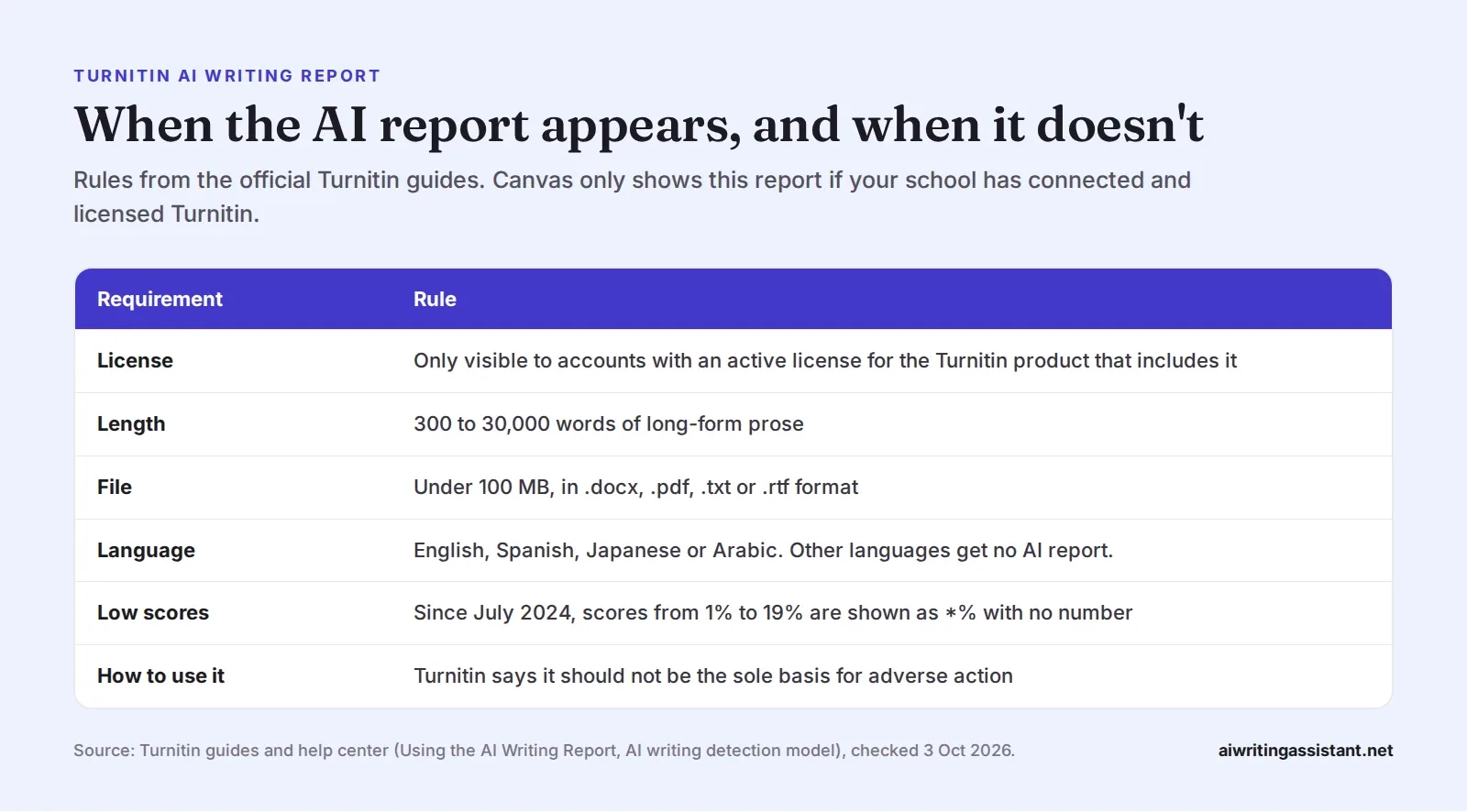
- The license matters. The Turnitin help center says the report is "only visible and active" for accounts with an active license for the Turnitin product that includes it. No license, no AI report.
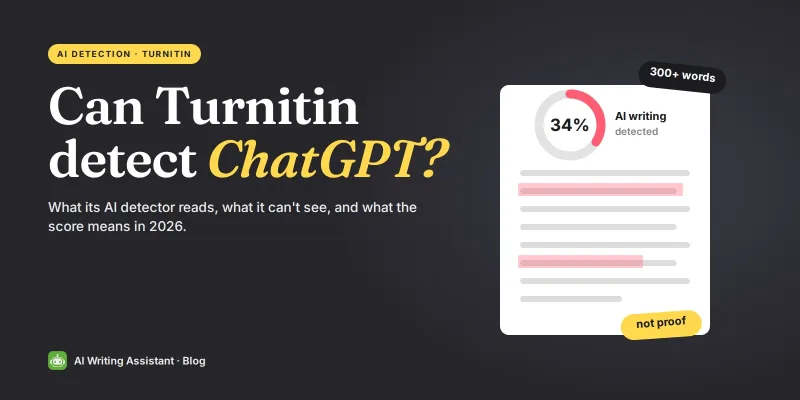
- Short texts are skipped. The Using the AI Writing Report guide asks for "at least 300 words of prose text." Turnitin says shorter texts can give inaccurate scores.
- Low scores are hidden. According to the AI writing detection model page, scores from 1% to 19% have been shown as *% since July 2024, to reduce false positives.
- It also looks for rewritten AI text. Since August 2025, Turnitin says the model also flags text likely changed by "AI bypasser, AI-paraphrasing tool or AI word spinner."
- It is not proof. Turnitin says the score "should not be used as the sole basis for adverse actions" against a student.
What Canvas can see during quizzes
Canvas does record activity, especially in quizzes. That's different from judging whether writing came from AI.
| Feature or tool | What it shows | Described as an AI-writing detector? |
|---|---|---|
| Quiz log (Classic Quizzes) | Events such as "Stopped viewing the Canvas quiz-taking page" | No |
| Moderate page log (New Quizzes) | A detailed log for each student | No |
| Course access report | A summary of a student's participation in the course | No |
| Respondus LockDown Browser | Blocks copying, printing, other apps and websites during a test | No |
| Respondus Monitor | Adds webcam proctoring to LockDown Browser | No |
Instructure is careful about quiz logs. Its quiz log guide says "Quiz logs are not intended to validate academic integrity or identify cheating." The New Quizzes Moderate page guide carries a similar warning.
A help page from CSU Chico explains that the "stopped viewing" event "should never be taken as definitive evidence of academic dishonesty." Innocent triggers include system notifications, pop-ups from assistive technology and accidental clicks. Seattle Pacific University adds that autosave can make a question look answered early.
The course access report "shows a summary of user participation in your course." Respondus LockDown Browser integrates with Canvas, and Respondus describes it as blocking copying, printing and other apps. Neither is described as an AI-writing detector.
How accurate are AI detectors?
This is why the "not proof" warning matters. Independent research has found real problems, especially for some groups of writers.
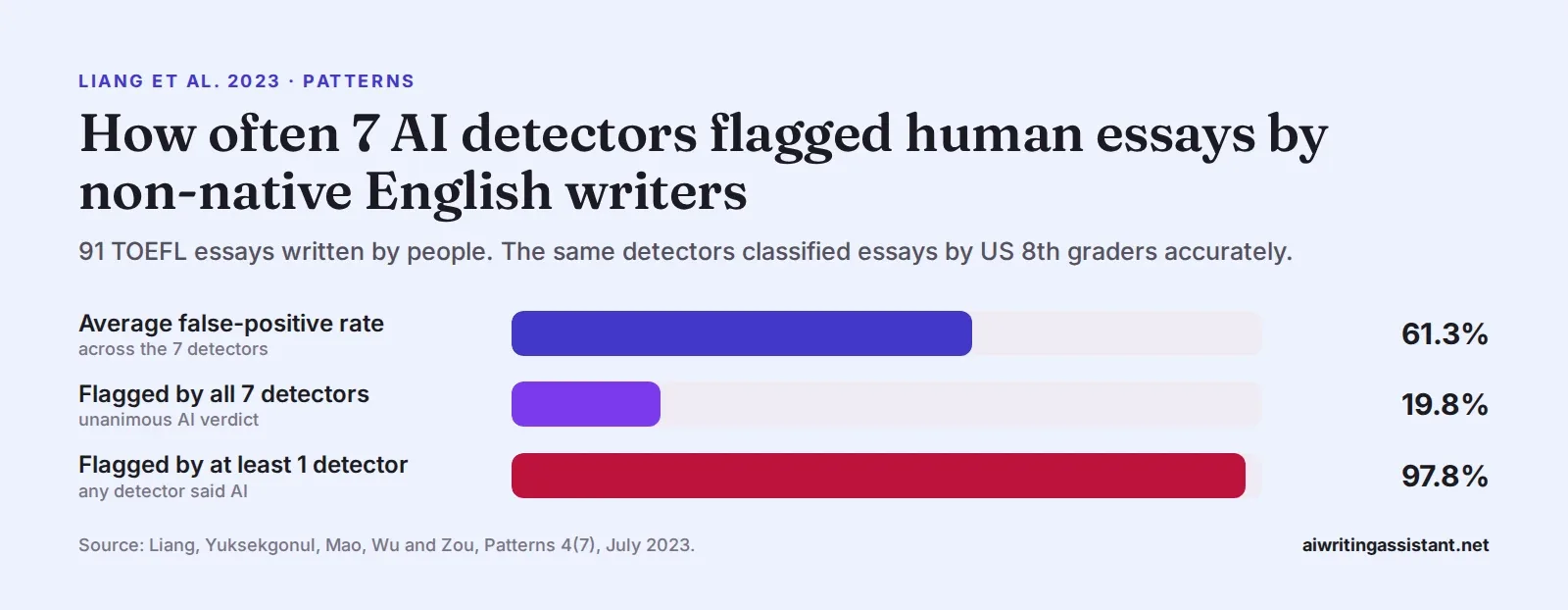
- Liang et al. (2023). In Patterns, researchers including James Zou of Stanford tested 7 detectors on essays by non-native English writers and US 8th graders. The detectors classified the US essays accurately but wrongly flagged many TOEFL essays. The authors link this to predictable word choice. Zou told ScienceDaily that people should "be extremely careful about and maybe try to avoid using these detectors."
- Weber-Wulff et al. (2023). A study in the International Journal for Educational Integrity tested 14 tools, including Turnitin, and found them "neither accurate nor reliable."
- OpenAI (2023). OpenAI retired its own AI text classifier on 20 July 2023 "due to its low rate of accuracy." It had caught 26% of AI text and wrongly flagged 9% of human text.
What universities have decided
| Date | University | Decision |
|---|---|---|
| Jun 2023 | University of Pittsburgh | Teaching Center disabled the Turnitin AI detector |
| Aug 2023 | Vanderbilt University | Disabled it. Noted a 1% false-positive rate on about 75,000 papers a year would mean about 750 wrongly flagged. |
| Mar 2025 (page updated) | Johns Hopkins University | Disabled Turnitin AI detection, citing false positives and bias |
| Oct 2025 | University at Buffalo | Calls Turnitin highly reliable but requires more evidence than the AI report alone |
| Oct 2025 (reported) | UCLA | Declined to adopt Turnitin AI detection |
| Feb 2026 | Washington State University | Cancelled its Turnitin AI Detection subscription mid-semester |
| May 2026 | UT Austin | Does not endorse AI detection software |
| Jul 2026 | Penn CETLI | Says no detector is accurate enough to serve as evidence |
For a deeper look at the research, see are AI detectors accurate? and can Turnitin detect ChatGPT? For how policies differ by school, read do colleges check for AI?
What to do if your work is flagged
A flag is the start of a conversation, not a verdict. University guidance points to the same steps.
- Stay calm and read the policy. The Texas A&M Writing Center suggests you "email and ask for the policy" so you have it in writing.
- Gather your process evidence. The University at Buffalo says students may show earlier drafts and time-stamped files and explain how they did the work. Texas A&M also suggests keeping notes as you write.
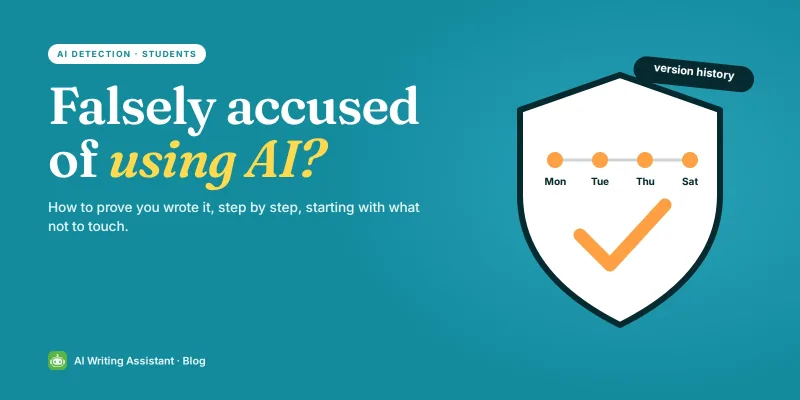
- Show your version history. Indiana University CITL explains that version history in Google Docs and Word Online shows writing evolving over time, and genuine work typically shows many changes.
- Ask to meet your instructor. UAlbany advises instructors to meet students and ask for drafts or a shared document with its history. Offer these first.
- Be ready to talk about your work. Texas A&M says students should be able to speak coherently about their subject. Know your sources and why you chose them.
- Check your writing apps. Texas A&M also suggests checking whether your apps have added AI features you may have used without noticing.
- Escalate if needed. If you believe you were accused unfairly, Texas A&M points to department leadership or the university ombuds.
Our guide on what to do if you're falsely accused of using AI walks through these conversations in more detail.
Check your own writing before you submit
If you're curious how your own writing reads to a detector, you can run it through one before you submit. Treat the result as a signal, not proof. It can't tell you what your school's tools will show, and it can be wrong about human writing too. If a passage you wrote yourself scores high, that's a good reminder to keep your drafts and version history safe.
Frequently asked questions
Does Canvas have a built-in AI detector?
None of the Instructure announcements we checked, including IgniteAI in 2025 and IgniteAI Agent in 2026, include one. AI writing reports in Canvas come from connected tools such as Turnitin.
How do teachers see AI scores in Canvas?
Through a connected tool such as Turnitin. The Turnitin AI report only appears if the school has the specific Turnitin license that includes it.
Can Turnitin check a short discussion post?
Usually not. The AI writing report needs at least 300 words of long-form prose.
Why does my Turnitin AI score show an asterisk?
Since July 2024, Turnitin shows scores from 1% to 19% as *% instead of a number, to reduce false positives.
Can Canvas see if I switch tabs during a quiz?
A Classic Quiz log can record "Stopped viewing the Canvas quiz-taking page," but Instructure says quiz logs are not intended to identify cheating.
Can an AI detection score alone prove cheating?
No. Turnitin says its score should not be the sole basis for adverse action, and several universities have turned AI detection off.
What should I do if my work is flagged?
Get the policy in writing, gather your drafts and version history, and ask to talk it through with your instructor.
 Grammar Checker
 Paraphraser
 Summarizer
 AI Writer
 AI Humanizer
 Text Compare